

Bookings in a private area
Passengers can check service details in their own customer area.
- Trips, date, time, vehicle and extras.
- Booking status and assigned driver when applicable.
- Service progress without displaying the taxi’s live location.
Turn your website into a booking channel connected to your organisation. Passengers enter their journey, choose a vehicle and extras, and review the request; your team receives the details to coordinate the service.
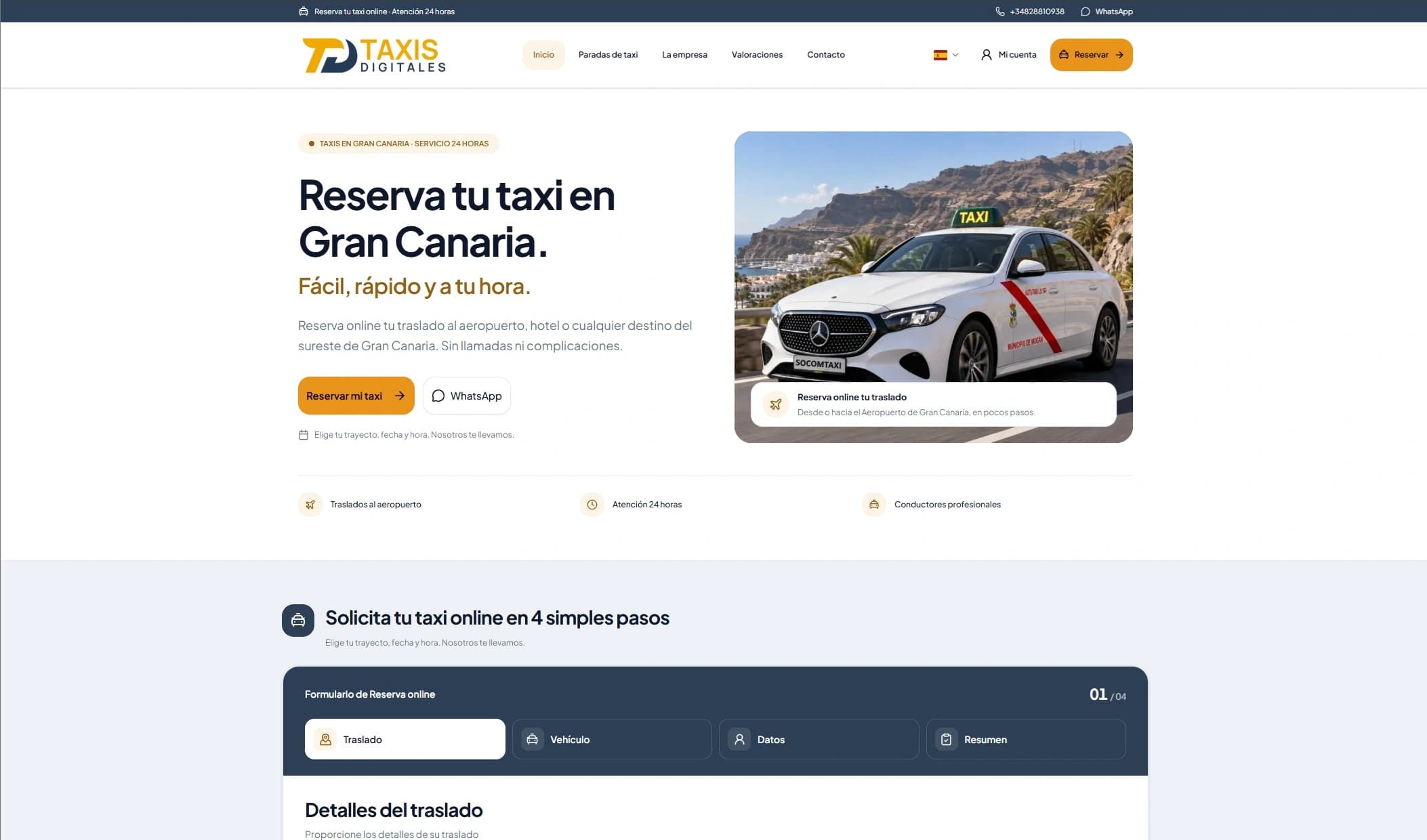
We build your website from scratch with custom code for your organisation. Your online presence reflects your identity, with a structure designed to help customers find you and book in the areas you serve.
Custom development from scratch, without WordPress or ready-made templates.
Local SEO focused on taxi searches in the towns and areas you serve, to attract customers and encourage new bookings.
Your brand’s design, with colours and styles you can customise from the administration panel.
The form guides passengers from pickup details to the summary. Each step gathers the information your organisation needs to prepare the service.
Origin, destination, date, time and passengers. Return trips, intermediate stops and flight details can be included when enabled.
Passengers view vehicles, capacity and fares. They add luggage, accessibility requirements and extras compatible with the selected vehicle.
Collect the information needed to coordinate pickup and any instructions for your team. The selected language stays with the booking and its communications.
Customers check the journey, vehicle, extras and their details before sending. The request goes directly into the management system.
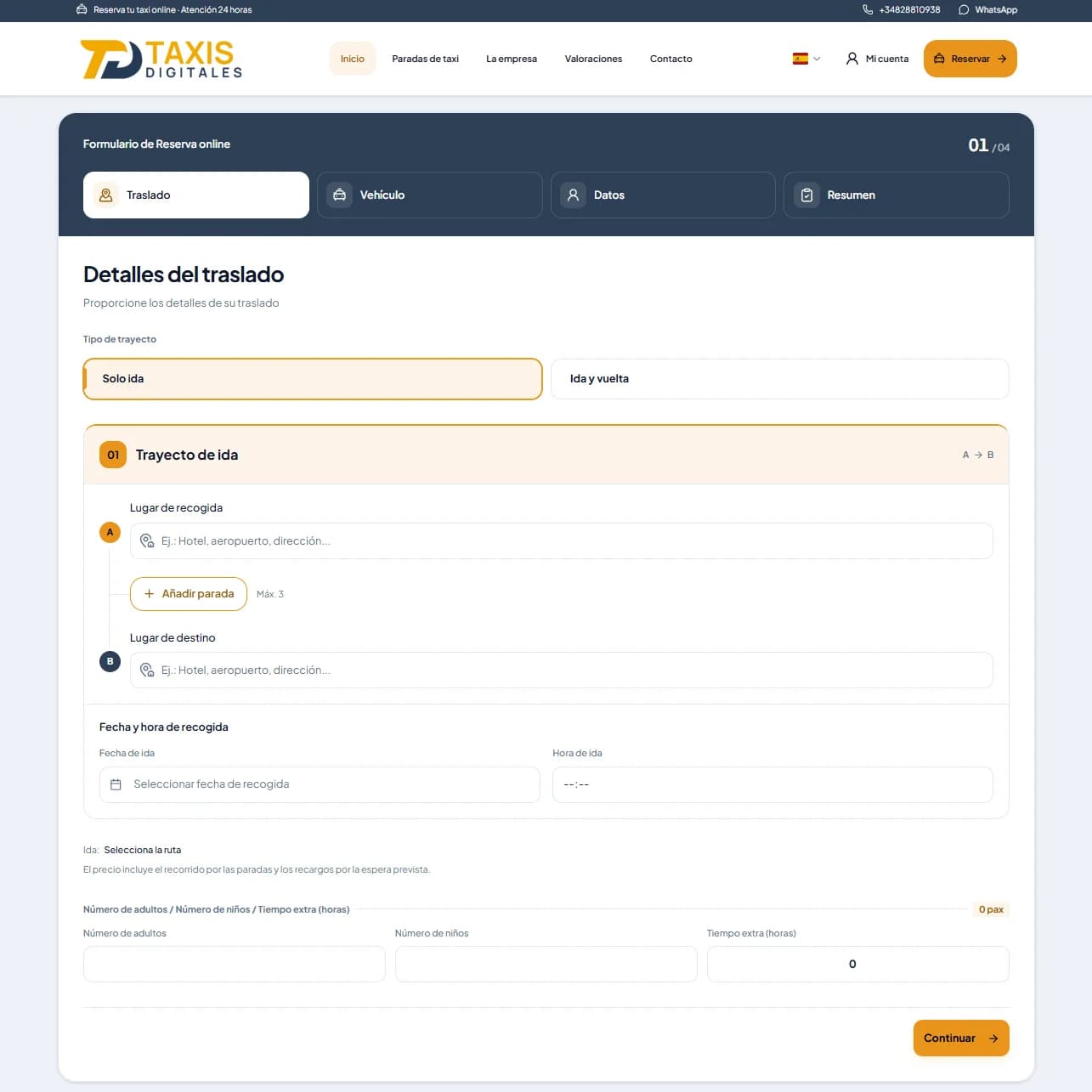
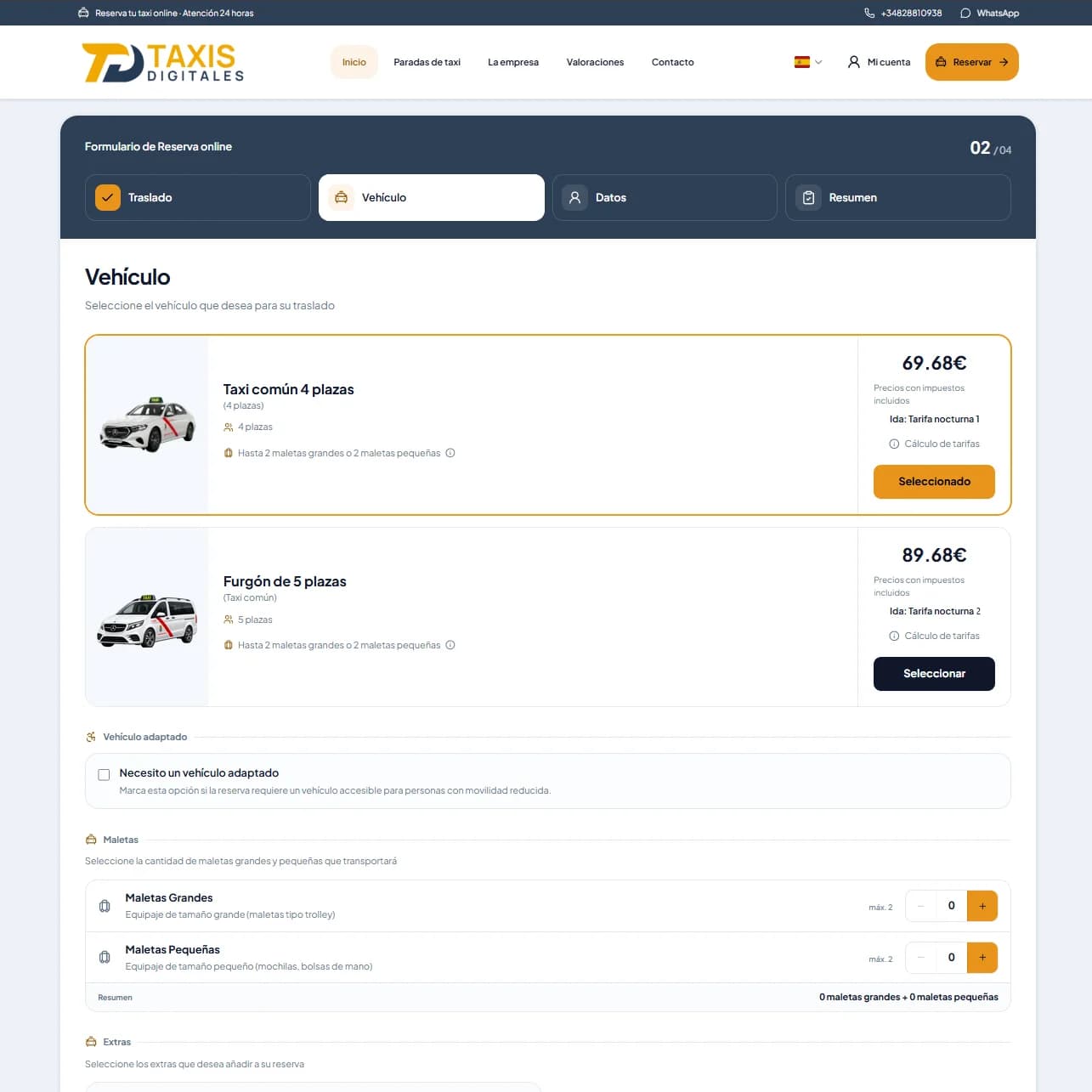
Stops, extras and available fields depend on your organisation’s configuration and the vehicles you offer.
The private area, emails and public taxi rank information help customers check their service and find your organisation.
Passengers can check service details in their own customer area.
Service changes can trigger automatic emails. Your organisation decides which messages to enable.
Publish a taxi rank directory with a map to help visitors find and contact you.
The booking form uses the configuration in your administration panel. The service areas, fares, vehicles and extras shown to passengers follow the options and conditions you have set for your organisation.
Define the pickup and destination areas you serve. The form uses those zones to prepare the transfer.
Prices follow your configured fare rules: zones, distance or time, schedules, public holidays and applicable supplements.
The selection uses your configured vehicles, with their seats, luggage capacity and accessibility features.
Offer extras assigned to each vehicle, such as child seats, and the options you have enabled for bookings.
We show you how to manage bookings, assign jobs and coordinate your team in one platform.